Open source · No nonsense · Self-hosted

The media manager I couldn't find. So I built it.

Every tool was either paywalled, missing something, or one more service to keep alive. Parallax handles the whole job: transcode, deduplicate, rename, subtitle, download. One container, your hardware, no credit card.

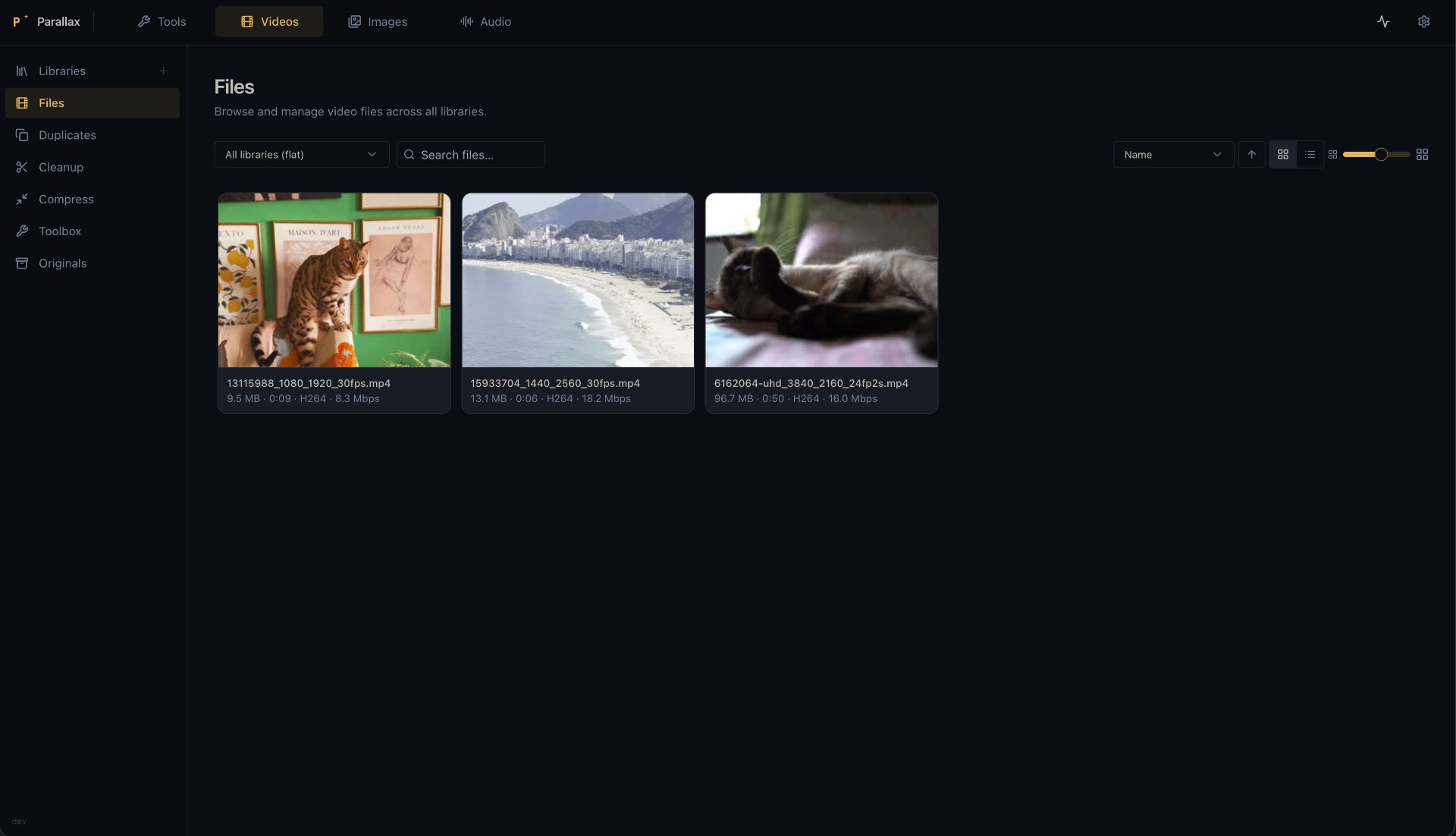
Parallax in action — scanning a library, filtering files, and compressing video

Unlimited power over your video library

Hardware-accelerated video compression, duplicate detection, TMDB-powered renaming, and local subtitle generation.

Library management scan video folders; browse by status, resolution, bitrate, duration; split into sub-libraries; libraries auto-rescan when files change on disk
Compression re-encode to H.264, HEVC, or AV1 via the dedicated Compress page; hardware-accelerated with NVIDIA NVENC and Intel/AMD VA-API; CRF slider with live estimated savings; smart-select by codec (e.g. "non-HEVC") or corruption status; cancelable bulk job with per-file progress; originals preserved in _originals/
Duplicate detection find duplicates by size, duration, and perceptual hash; configurable similarity threshold (0–100%), first-frame/all-frames comparison mode, and frames-per-video (4–64); scan is self-contained and runs pHash extraction automatically before comparing
Cleanup filter and bulk-delete by duration, resolution, FPS, date, filename (exact or fuzzy), CLIP semantic match, or content detections; all filters stack with invert/exclude support
Identify & Rename search TMDB to identify a folder of badly-named files, match them to episodes via drag-and-drop, and apply Plex/Jellyfin-compatible renames with automatic folder restructuring
Subtitles scan a folder for missing subtitle files; bulk-download best matches or open a Plex-style search dialog; powered by subf2m.co (no account, no daily limit, multi-language); Whisper local speech-to-text generates SRT files from audio with no API key; multiple subtitle tracks shown in the Plyr player with a language picker
Your image library, actually searchable

Thumbnail grid, perceptual deduplication, and search by describing what you're looking for. All on your machine. No cloud. No data harvested.

Library management scan image folders with automatic thumbnail generation; browse and filter your collection; libraries auto-rescan when files change on disk
Duplicate detection find duplicate images by perceptual hash with configurable similarity threshold
Semantic search CLIP-powered natural language search across your entire image library
Content review filter by semantic similarity and/or content detections; bulk quarantine flagged images; restore or permanently delete from quarantine

Smart features with no cloud and no strings

Content search and detection via local-only and offline AI models that run on any hardware.

Semantic searchnatural language search across image and video libraries using CLIP; describe a scene or subject and find matching files instantly
Content detectionflag inappropriate content with configurable confidence thresholds; review, quarantine, or bulk-delete flagged files
Local speech-to-textgenerate subtitle files from audio with Whisper; no API key or cloud upload required; auto-detects spoken language; five model sizes (tiny → large-v3)
GPU-acceleratedCUDA and ROCm backends; inference runs in isolated subprocesses so VRAM is fully freed when idle; batch size tunable per your hardware

Download anything.

yt-dlp integration with quality control, codec selection, browser impersonation, ephemeral cookies, trimming, and live progress.

yt-dlp integration paste one or more URLs and queue downloads with live progress; supports YouTube, Vimeo, Twitch, and thousands of other sites
Quality & codec control choose resolution (Best/4K/1080p/720p/480p/360p) and codec preference (Auto/H.264/H.265/AV1/VP9); quality-first fallback so codec degrades gracefully before resolution does
Audio mode extract audio-only in mp3/m4a/opus
Browser impersonation one-click enable with a dropdown of available targets from the installed binary; requires curl-cffi (included in the yt-dlp_linux standalone binary)
Cookies paste Netscape-format cookies for session-only auth (age-restricted and logged-in content); ephemeral, never written to disk
Trimming download a clip by setting start/end timestamps
Subtitles optionally download subtitle files alongside the video
yt-dlp management install/update from Settings → Downloads; stable or nightly channel; binary lives in the data volume and persists across rebuilds; quick Update button on the Downloads page shows current version
Download history persists across restarts; clear from list (file kept) or delete with file (shift-click skips confirm)
Playback completed downloads play in the built-in Plyr player with subtitle support

One container. Runs everywhere.

Pre-built images for CPU, NVIDIA, and AMD. Pull, run, own your media.


CPU
ghcr.io/raslan/parallax:latest

No GPU required. AI inference runs on CPU.

NVIDIA
ghcr.io/raslan/parallax:latest-cuda

ONNX CUDA backend + NVENC hardware transcoding.

AMD
ghcr.io/raslan/parallax:latest-rocm

ONNX ROCm backend + VA-API hardware transcoding.


Full deploy docs →
NVIDIA
AMD
CPU
# NVIDIA — requires nvidia-container-toolkit
services:
  parallax:
    image: ghcr.io/raslan/parallax:latest-cuda
    ports: ["7899:7899"]
    volumes:
      - ./data:/app/data
      - /your/media:/media
    restart: unless-stopped
    deploy:
      resources:
        reservations:
          devices:
            - {driver: nvidia, count: all, capabilities: [gpu, video]}
# AMD — VA-API via /dev/dri
services:
  parallax:
    image: ghcr.io/raslan/parallax:latest-rocm
    ports: ["7899:7899"]
    volumes:
      - ./data:/app/data
      - /your/media:/media
    restart: unless-stopped
    devices:
      - /dev/dri:/dev/dri
    group_add: [video]
# CPU — no GPU required
services:
  parallax:
    image: ghcr.io/raslan/parallax:latest
    ports: ["7899:7899"]
    volumes:
      - ./data:/app/data
      - /your/media:/media
    restart: unless-stopped

Even on Windows

Docker Desktop handles the runtime. Same compose file as Linux. No installer wizard, no license key, no trial period.


NVIDIA
latest-cuda

Install Docker Desktop, then update your NVIDIA GPU driver (521+). WSL 2 includes CUDA support — no separate toolkit required.

AMD
latest

AMD ROCm is not supported under WSL 2. Use the CPU image. ONNX inference runs on CPU; hardware video encoding is unavailable with this configuration unfortunately.

CPU
latest

Works out of the box with Docker Desktop.

NVIDIA
CPU / AMD
# Windows — Docker Desktop + NVIDIA driver 521+
# No NVIDIA Container Toolkit needed on Windows
services:
  parallax:
    image: ghcr.io/raslan/parallax:latest-cuda
    ports: ["7899:7899"]
    volumes:
      - ./data:/app/data
      - C:/your/media:/media
    restart: unless-stopped
    deploy:
      resources:
        reservations:
          devices:
            - {driver: nvidia, count: all, capabilities: [gpu, video]}
# Windows — Docker Desktop, CPU only
# AMD GPU acceleration not supported on Windows/WSL 2
services:
  parallax:
    image: ghcr.io/raslan/parallax:latest
    ports: ["7899:7899"]
    volumes:
      - ./data:/app/data
      - C:/your/media:/media
    restart: unless-stopped