General Concepts
Command palette
Jump to any page or switch theme from the keyboard.
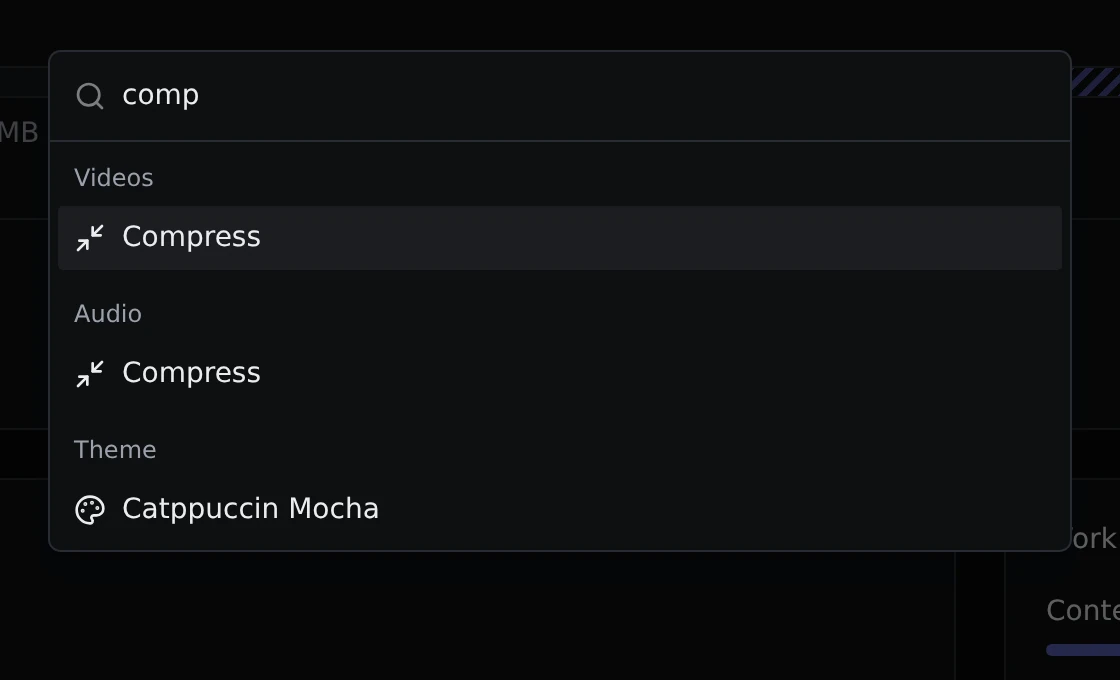
The command palette is a search box that takes you anywhere in Parallax without clicking through the menus.
Opening it
Press Ctrl+K (or ⌘K on a Mac), or click the search button in the top bar. Type a few letters, use the arrow keys to pick, and press Enter. Escape closes it.
What it can do
The palette lists:
- Every page in the app, grouped by the section it lives in: Videos, Images, Audio and Tools.
- Home, Jobs and Settings under Actions.
- Every colour theme under Theme. Picking one switches to it straight away.
It matches as you type, so comp finds both Compress pages, and dup finds the Duplicates pages.