Identify
Turn a folder of badly named files into a tidy library that Plex, Jellyfin and Kodi recognise.
Identify renames your videos so media servers know what they are. Files called Pioneer.One.S01E03.720p.HDTV.x264-GROUP.mkv become Pioneer One - S01E03 - Alone in the Night.mkv, in a properly named show folder with a folder for each season.
Pick a folder, tell Identify what it is, check the new names, and apply. Nothing changes until you press Apply renames.
What you need
Matching TV shows and movies uses TMDB, a huge free database of shows and films, which is where the episode names come from. You need a free key to use it:
- Make a free account on the TMDB website.
- In your TMDB account settings, open the API section and request a key. Copy the one called API Key. It is a short string of letters and numbers. Do not use the much longer API Read Access Token.
- In Parallax, open Settings → Keys & Accounts and paste it into the TMDB field.
Custom mode, described below, needs no key at all.
Renaming a show
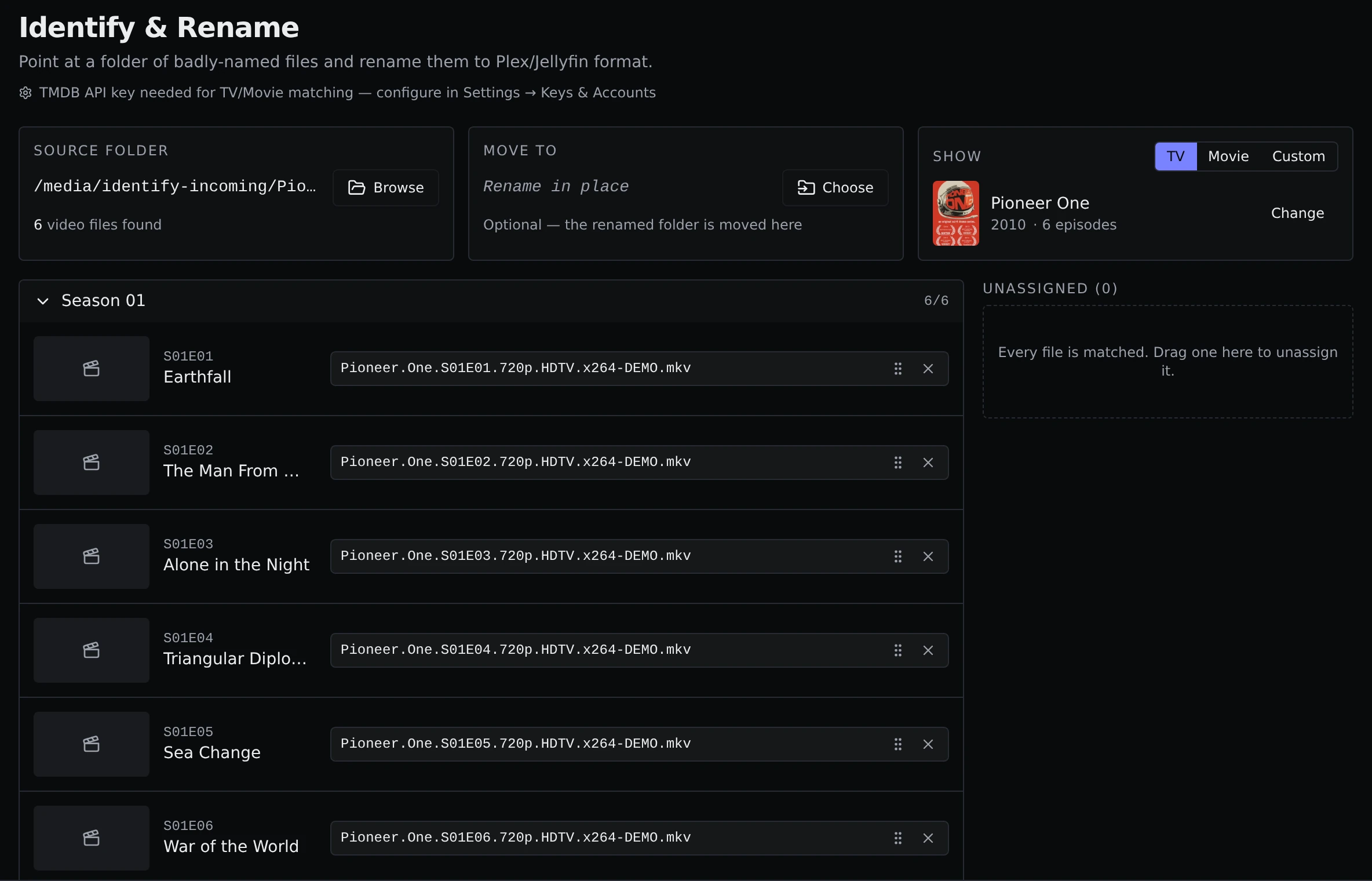
- Open Tools → Identify and click Browse under Source folder. Pick the folder with the episodes. Parallax finds the video files in it, including any in folders inside it.
- Make sure TV is selected. A search opens with a guess already filled in from the folder name. Pick your show from the results, or change the search.
- Every episode of every season appears as a row, and Parallax puts each file into the right slot by reading the season and episode numbers in the file names.
- Fix anything it got wrong. Drag a file onto a different episode, or use the picker on a row. The × pulls a file back out into the Unassigned list.
- When you are happy, click Preview renames, check the list, and click Apply renames.
The preview shows every change as old name and new name, so you can see exactly what will happen first.
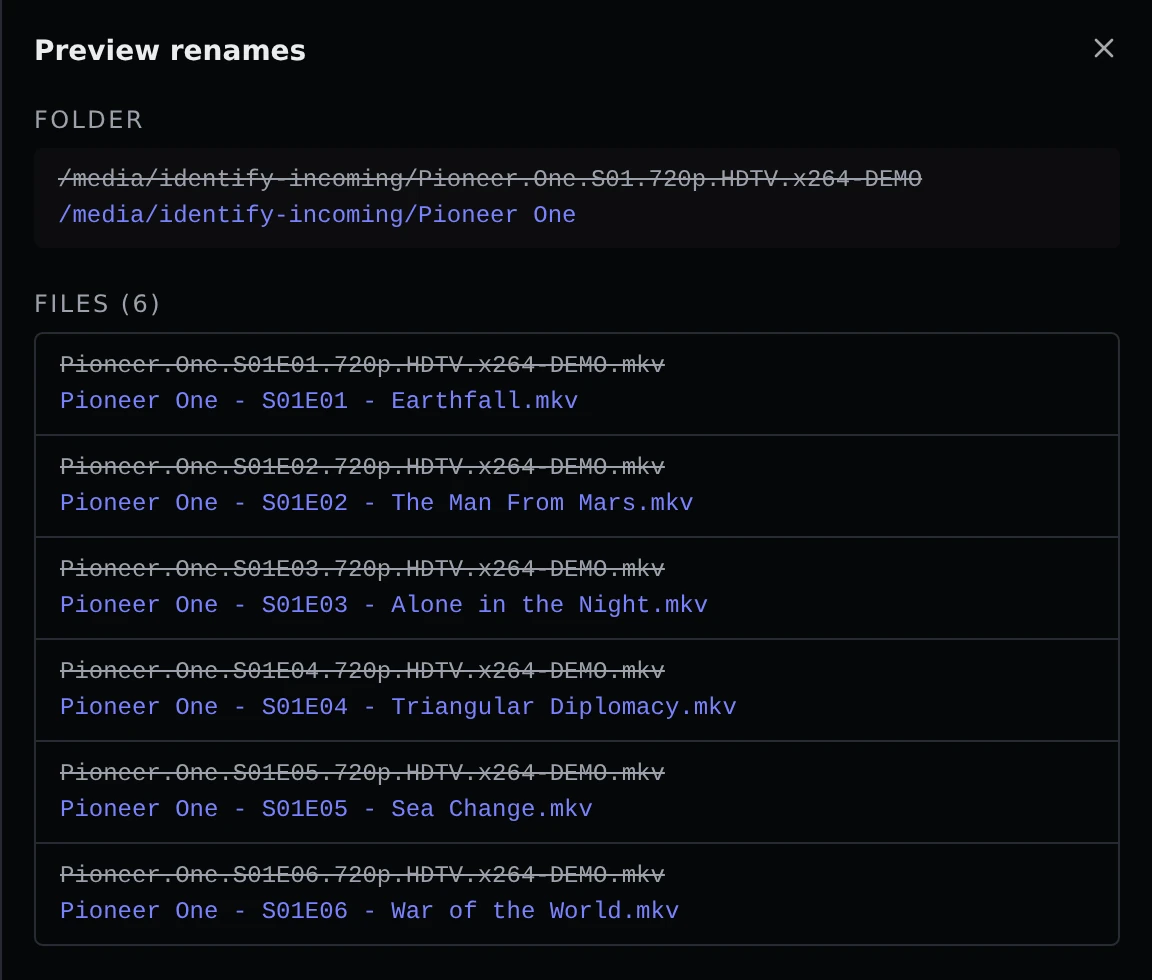
Files end up named like Show - S01E03 - Episode Title.mkv, inside a Season 01 folder in a show folder named after the show. Anything you leave unassigned is moved into an Unmatched folder, so it is not lost and not mixed in with the rest.
Renaming a movie
Choose Movie instead of TV, search for the film, and apply. The result is a folder and file both named Title (Year).
Subtitles come along
Subtitle files that sit next to a video, such as movie.en.srt, are renamed to match the new video name. The language tag is kept.
Moving as well as renaming
By default the folder is renamed where it is. If you would rather file it somewhere else, click Choose under Move to and pick the destination. The renamed folder is moved there, even onto a different drive.
If a folder with the new name already exists at the destination, Parallax will not overwrite it and tells you.
Libraries that point at the folder, and the files in them, are updated, so you do not need to rescan afterwards.
Custom mode
Not everything is on TMDB. A folder of downloaded videos, a playlist, an abridged series or a set of home recordings has no database entry. Custom mode turns any folder into a one-season show you describe yourself.
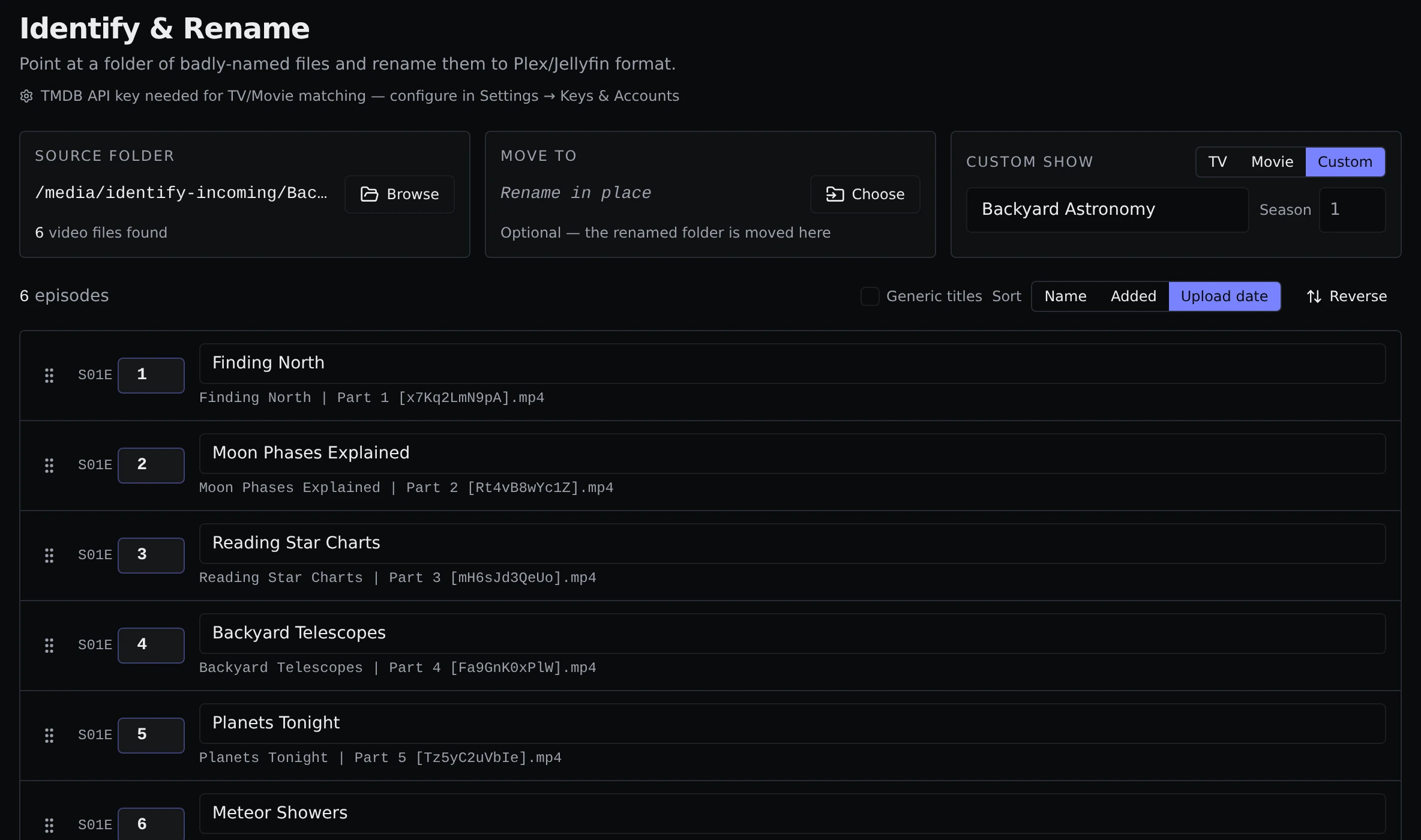
Pick Custom, then choose the folder. Type the show name, and the season number if it is not 1. Parallax puts the files in an order and cleans the names into episode titles, dropping things like Part 4 and tags in square brackets.
You can change the order:
- Name orders by file name. It understands
Part 2andEpisode 2in names. - Added orders by when the files were added to the folder.
- Upload date uses the date stored inside the file, when it has one.
- You can also drag rows, or type a new episode number into a row, which shifts the others to make room.
Generic titles replaces the cleaned-up titles with plain Episode 1, Episode 2 and so on. If the folder you picked has several folders inside it, Folders are seasons treats each one as its own season.
Custom mode also adds a few things for media servers:
- A
tvshow.nfofile and one for each episode, which Plex, Jellyfin and Kodi read for titles and dates. - Artwork made on your machine: a poster and a backdrop built from a frame of the first episode with the show name on top, plus a picture for each season folder.
None of this contacts the internet.
About TMDB
Parallax uses TMDB for the show and episode details in TV and Movie mode. This product uses the TMDB API but is not endorsed or certified by TMDB.