Content Review (Image)
Find images that contain things you want to check, and set them aside in bulk.
Content Review helps you go through a big image collection and spot the pictures you want to look at, such as ones with nudity in them. Parallax looks at every image on your own machine, and nothing is sent anywhere.
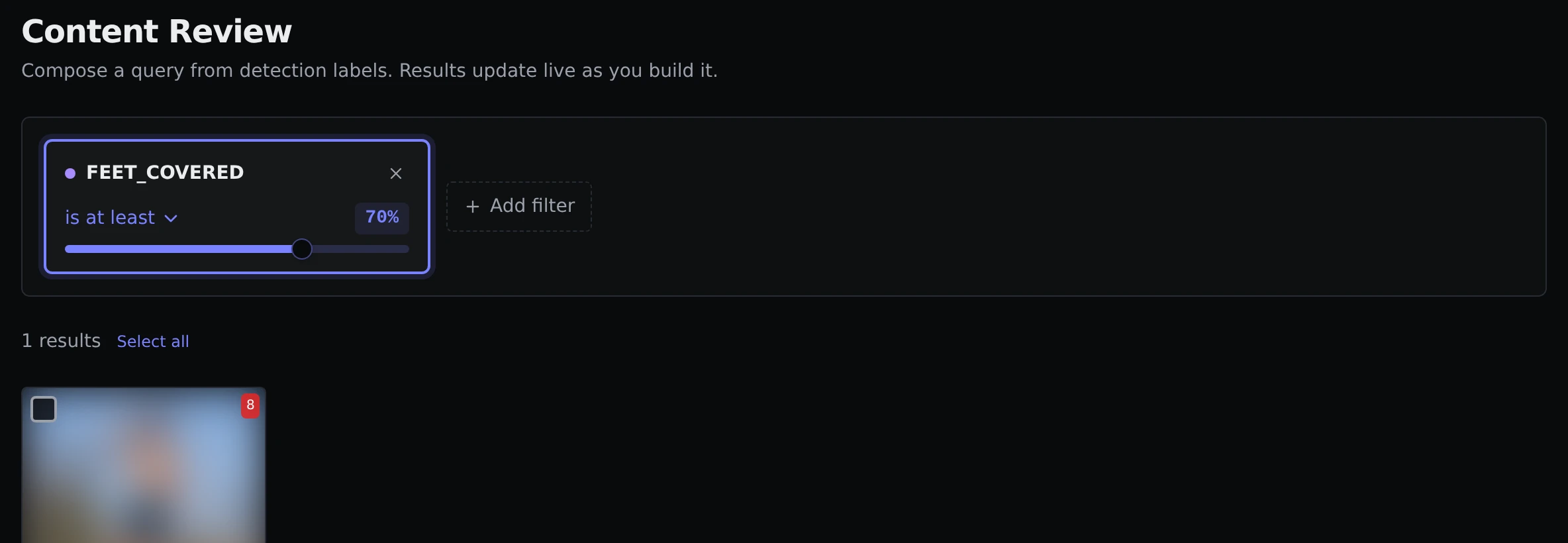
The example is blurred
The screenshot blurs the pictures. In the app you see them normally.
How it works
You build a filter by adding conditions, the same way as in Cleanup. Results update as you go.
The main thing to filter on is a detection label. These are the things Parallax can recognise in a picture, like exposed or covered body parts, faces, feet or belly. Each label has a confidence slider. A higher percentage only matches when Parallax is quite sure, and a lower one catches more, including more false alarms.
There is also a No detections at all condition, which finds pictures where nothing was recognised. Alongside the labels you can filter on file size, orientation, content date, file added, and file name (contains, does not contain, or roughly matches).
As soon as you add a label condition, Parallax quietly checks any images it has not looked at yet. A short banner shows while that runs, and the results fill in when it is done. You do not need to start it yourself.
Setting pictures aside
Tick the pictures you want, or use Select all, then click Quarantine. They are moved to a _quarantine folder and removed from the library. They are not deleted. See Quarantined images to restore them or delete them for good.
Choosing a detection model
You can pick how careful the detector is in the Content Detection card under Settings → AI Models. The standard model (320n) comes built in and is fast. A larger one (640m), a download of about 100 MB, is better at spotting small or partly visible things. Click Download on its card to get it, then Use.
The same tab has Scan batch size, which is how many images are checked at once (faster on a stronger machine, but it uses more memory), and Scan prefetch. Content detection explains both.
Detection runs on your processor and does not need a graphics card.