Video and audio player
Play your files in the browser, with subtitles and sound that always works.
Parallax has a built-in player, so you can check a file without opening another app. The same player is used everywhere you can play something: Files, Duplicates, Cleanup, Compress, Subtitles, Organize and the audio pages.
Opening and closing
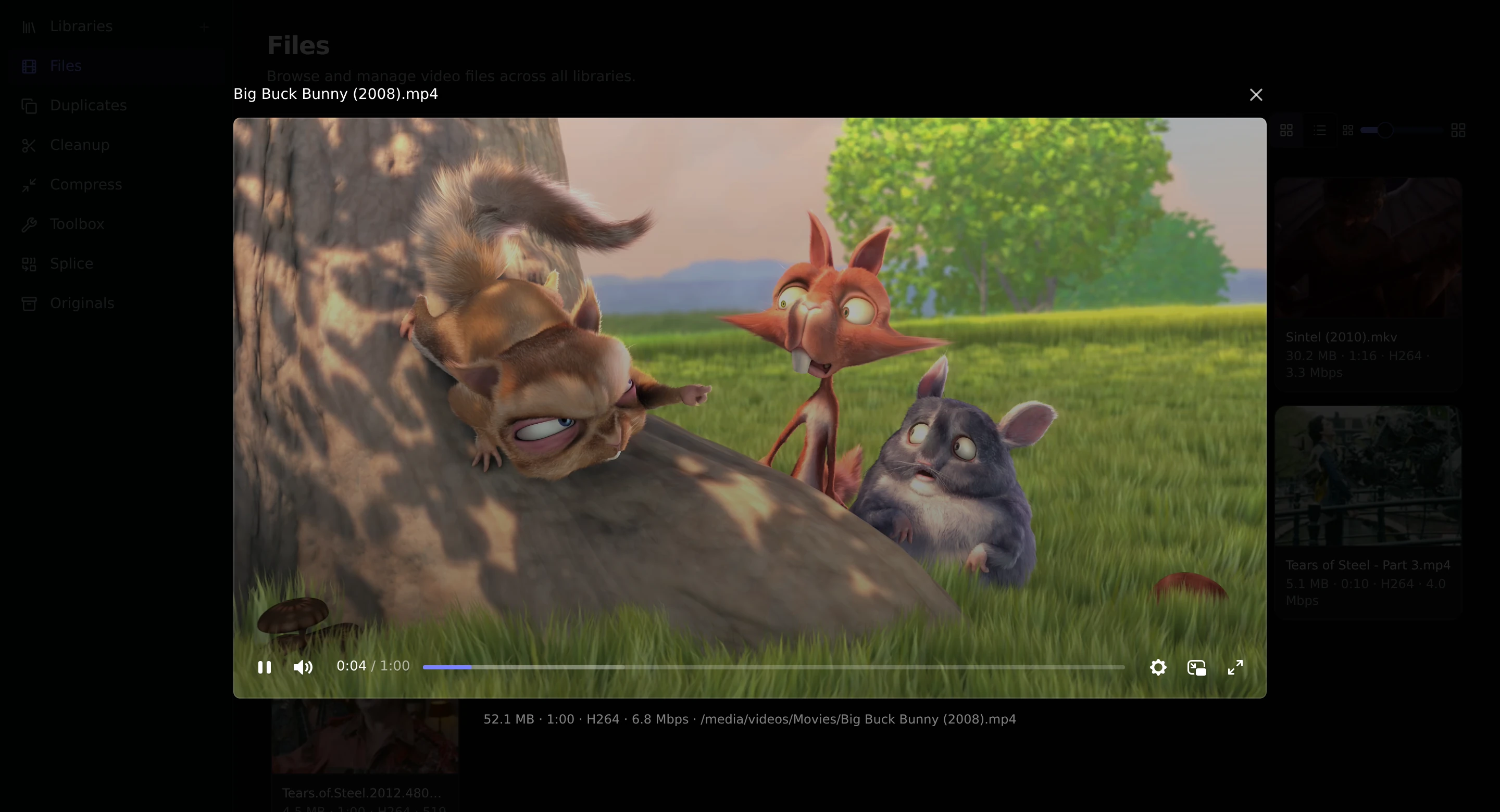
Click a video, or use Play from its menu. It opens in a window over the page, with the file name above it and details such as size, length and format below. Close it with the ×.
Controls
The controls appear when you move the mouse over the player: play and pause, volume, the time, a bar to skip around, a settings menu, picture in picture and fullscreen.
Parallax remembers your volume and whether you muted it, so it is the same the next time you play something.
Subtitles
If subtitle files sit next to the video, the player finds them when it opens. Open the settings menu and choose Captions to switch them on or pick a language. Subtitles in .srt and other common formats are shown as they are.
To get subtitles for videos that do not have any, see Subtitles.
Sound that browsers cannot play
Some videos use a sound format that browsers cannot play, which is common with files from Blu-ray discs. Parallax converts just the sound as you watch and leaves the picture alone. The video starts after a couple of seconds, and you can still skip to any point. Your file is never changed.
The technical details are in Playback and audio conversion.
Audio files
Audio files use the same player, without a picture. On the Audio pages, press the play button on a row.