How Parallax works
Libraries, jobs and backups of your originals, in plain terms.
A few ideas show up all over Parallax. Once you know them, the rest of the app makes sense.
Libraries
A library is a folder you have told Parallax about. It remembers what is inside so it can show you your files quickly, filter them, and work on them in bulk.
Videos, images and audio each have their own libraries and their own section in the top bar. Your files stay exactly where they are. A library is just Parallax's list of what is in a folder.
Parallax watches your folders, so when you add or remove files outside the app, the library catches up on its own within a few seconds. It also does a full check now and then, in case something slipped through.
Jobs
Anything that takes a while runs in the background as a job: scanning a folder, compressing a batch of videos, looking for duplicates. You can carry on using the app while it runs.
The Jobs page shows everything that is running, waiting or finished.
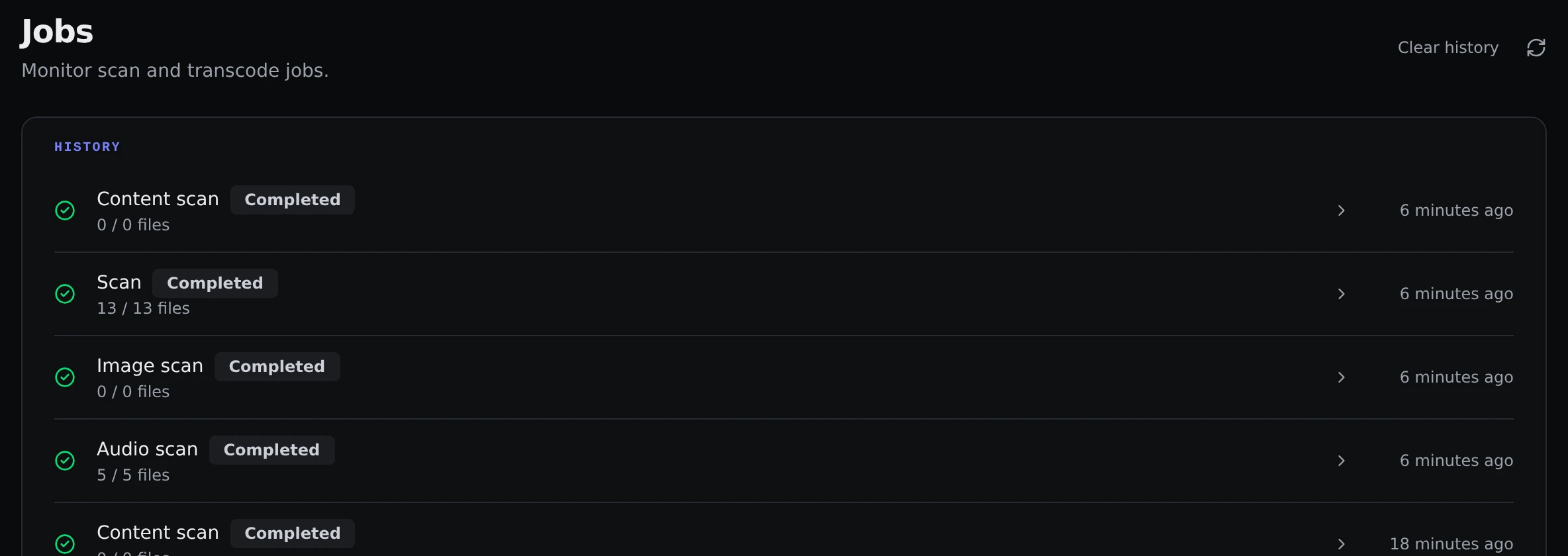
Open a job to see its log, or cancel it if you change your mind. A job that has not started yet can be cancelled too.
By default Parallax runs one job at a time and the rest wait their turn. If your machine can cope with more, raise Concurrent jobs under Settings → General.
Originals
When Parallax changes a file for you, for example by compressing a video, it keeps the untouched version in a folder called _originals, right next to where the file was. That way you can always go back.
The Originals page lists these backups. From there you can put an original back, or delete it once you are happy with the new version and want the space back. Compress and Toolbox have a Keep originals switch at the top of the page if you would rather not keep them.
Images work slightly differently. Images you remove from Content Review go to a Quarantined page, where you can restore or delete them for good.
Parallax never touches the _originals folders when it scans, so backups do not show up as extra files in your library.
Deleting
Deleting is the one thing that cannot always be undone. Whenever you delete files, Parallax tells you how many files and how much space is involved and asks you to confirm. Read that box before you click.
When you remove a whole library, Parallax checks whether it has any _originals or quarantined files lying around and asks what to do with them.
Space saved
The Home page adds up how much space you have saved by compressing and deleting. It only keeps numbers, never file names or paths, and it keeps counting even if you remove a library later. You can clear it with Clear statistics in the Statistics card under Settings → General.